Return to Collections | How to Save Recipes | How to use Shopping Lists
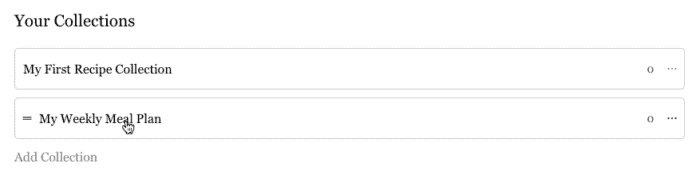
- Under “Your Collections” select “My Weekly Meal Plan”
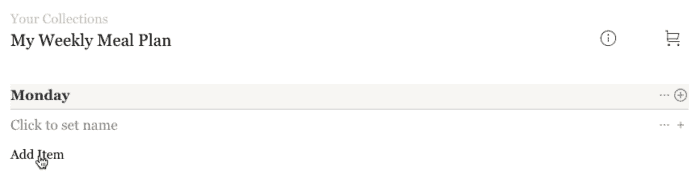
2. You’ll see a blank Monday-Sunday Meal Plan template. Simply click “Add Items” to begin building your plan.
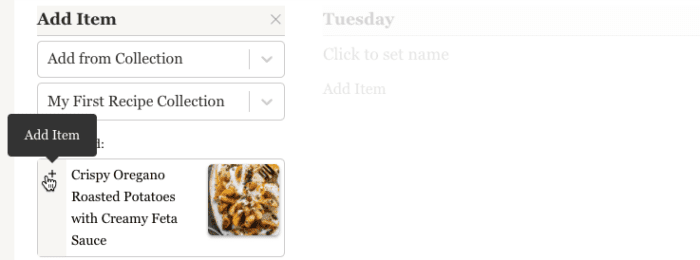
3. The default setting allows you to add items from your saved recipes by selecting “Add from Collection > My First Recipe Collection.” Once you find a recipe you want from “My First Recipe Collection” click the plus sign to add it to your plan.
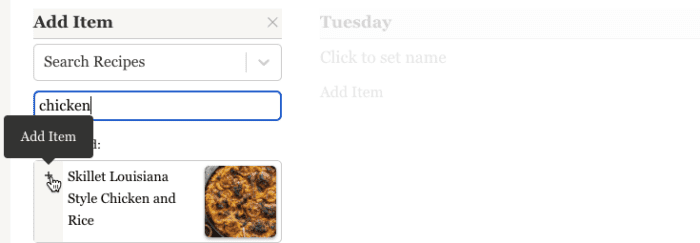
4. You can also add items by searching all the recipes on our site using “Search Recipes.” Once you find a recipe, add it by clicking the plus icon.
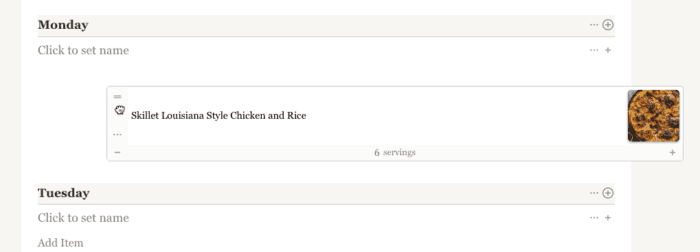
5. As you begin to build out your plan, you can easily rearrange your recipes with drag-and-drop by clicking and holding the two bars to the left of the recipe.
Creating a new Meal Plan
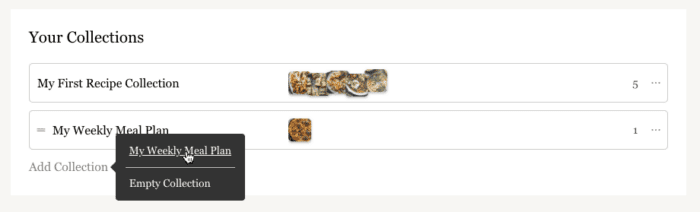
- To create a new meal plan, navigate to your collection, and under the collections look for the “Add Collection” prompt.
2. Then select the “My Weekly Meal Plan” template and a blank version of that template will be added to your collections.
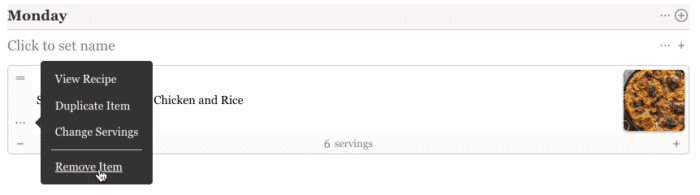
Removing Items from Your Meal Plan
- To remove an item from your meal plan, once inside the plan click the three dots icon and select “Remove Item”